08
Analytics and reports
Which forms convert, which stores bring sign-ups, how messages perform and what they cost.
Analytics overview
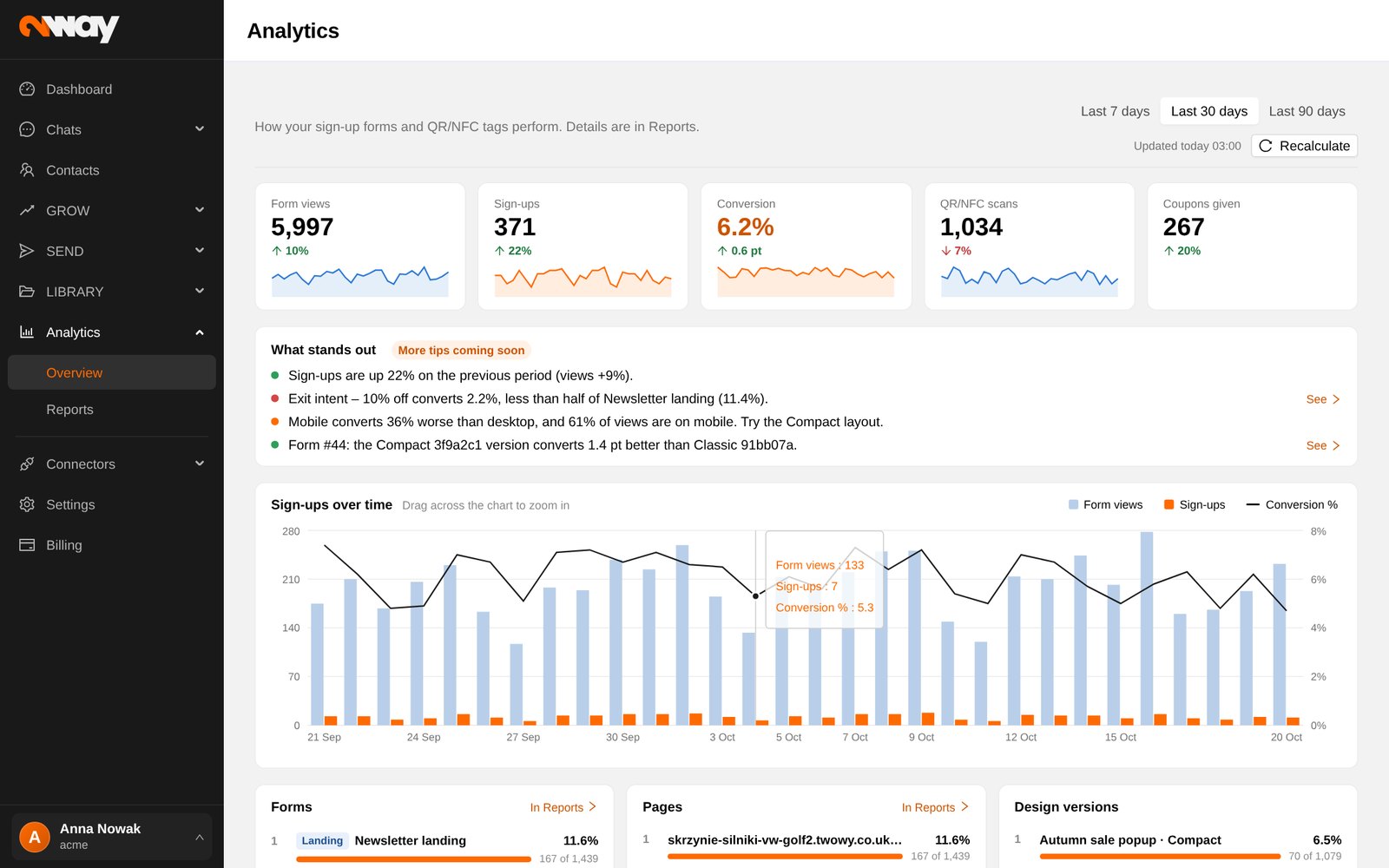
- Pick 7, 30 or 90 days. The data is prepared every night; Recalculate refreshes it on demand.
- Key figures: form views, sign-ups, conversion, QR/NFC scans and coupons given.
- What stands out points at what to act on, for example a form that converts much worse on phones (try the Compact layout) or a design version that wins.
- Sign-ups over time (drag to zoom) and breakdowns by form, page, design version, device and QR/NFC tag.
- Messaging: sent, delivered, clicks, opt-outs, spend, by channel and by kind of message.
Reports
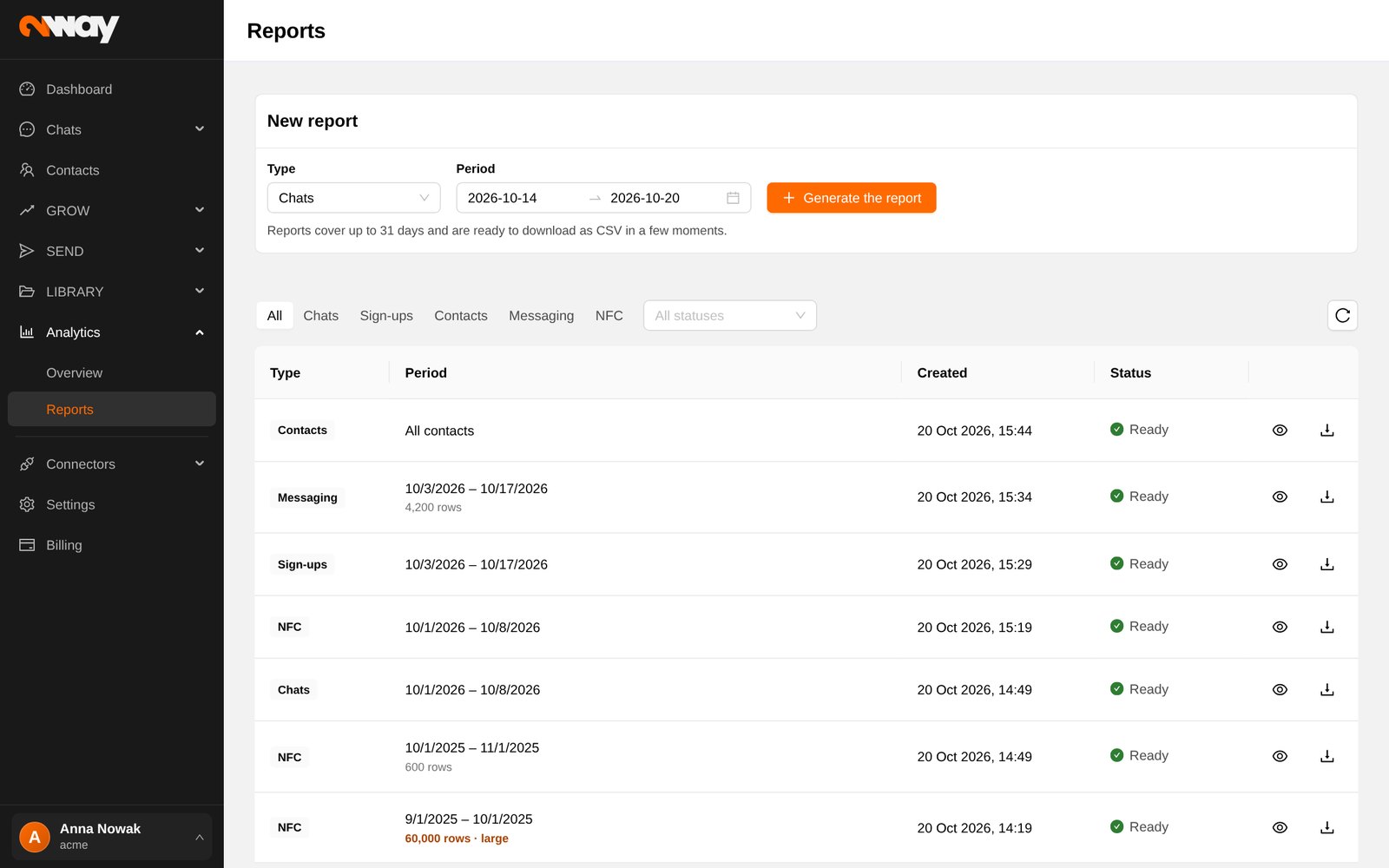
- 1New report
Choose the type and a period of up to 31 days.
- 2Generating
The report is prepared in the background.
- 3Ready
View it in the app or download it as CSV.
| Report | Answers |
|---|---|
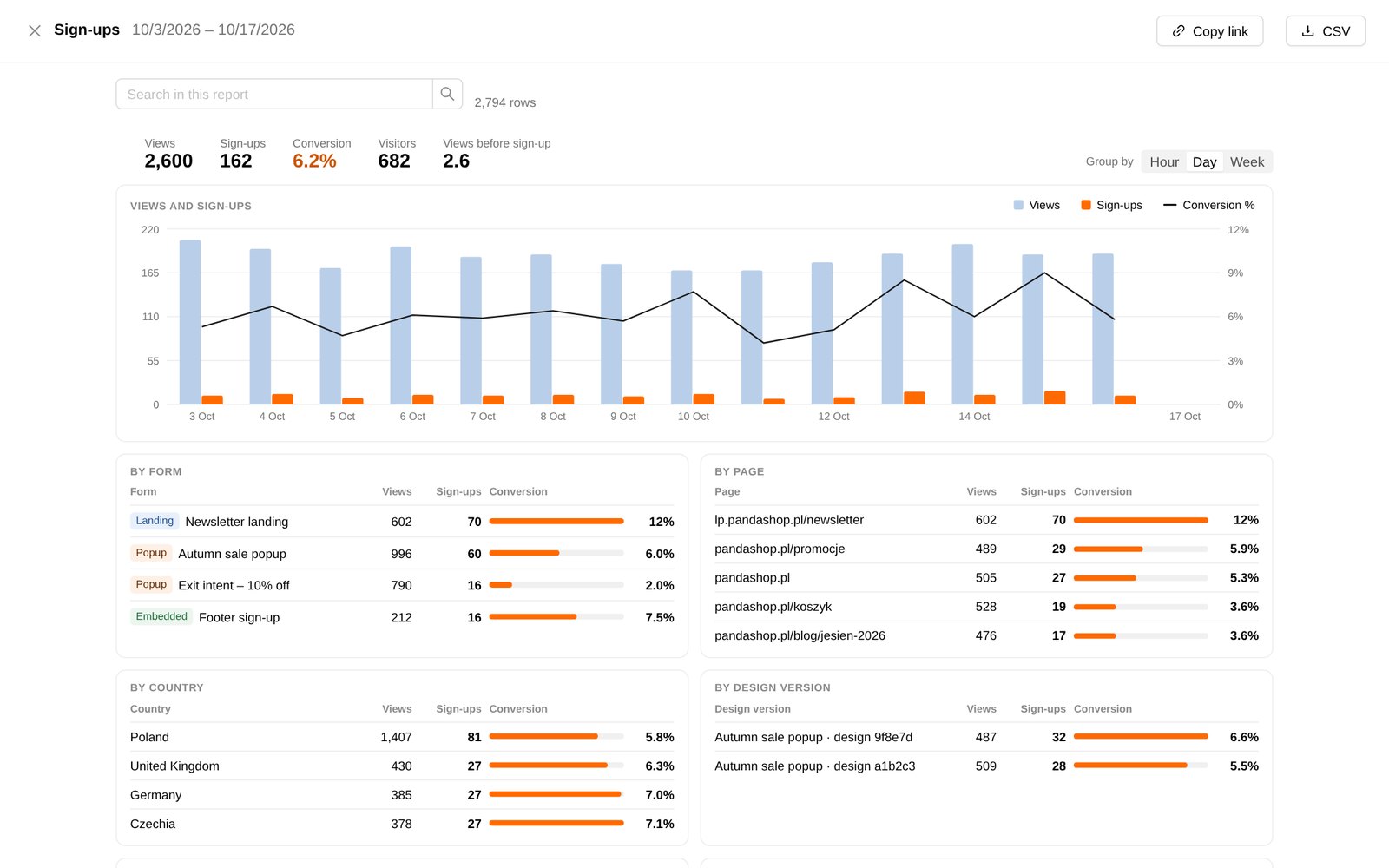
| Sign-ups | Views, sign-ups and conversion by form, page, device, country and design version; the visitor journey. |
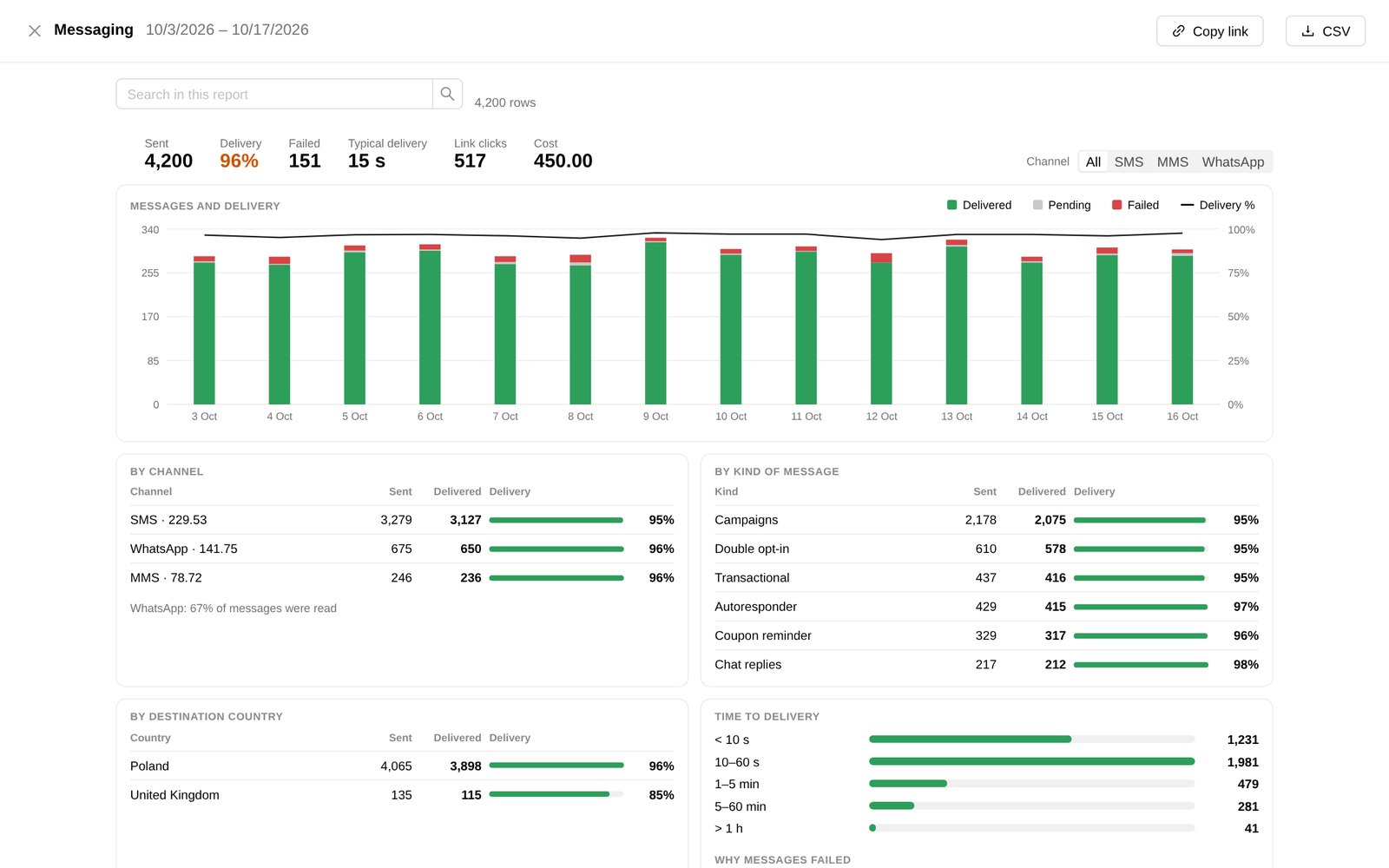
| Messaging | Sent, delivered and failed messages with reasons, by channel, kind and country; cost and clicks. |
| Contacts | A snapshot of your whole base. |
| Chats | Conversation activity. |
| NFC | Scans by time, device, system, country and tag. |