07
Chats
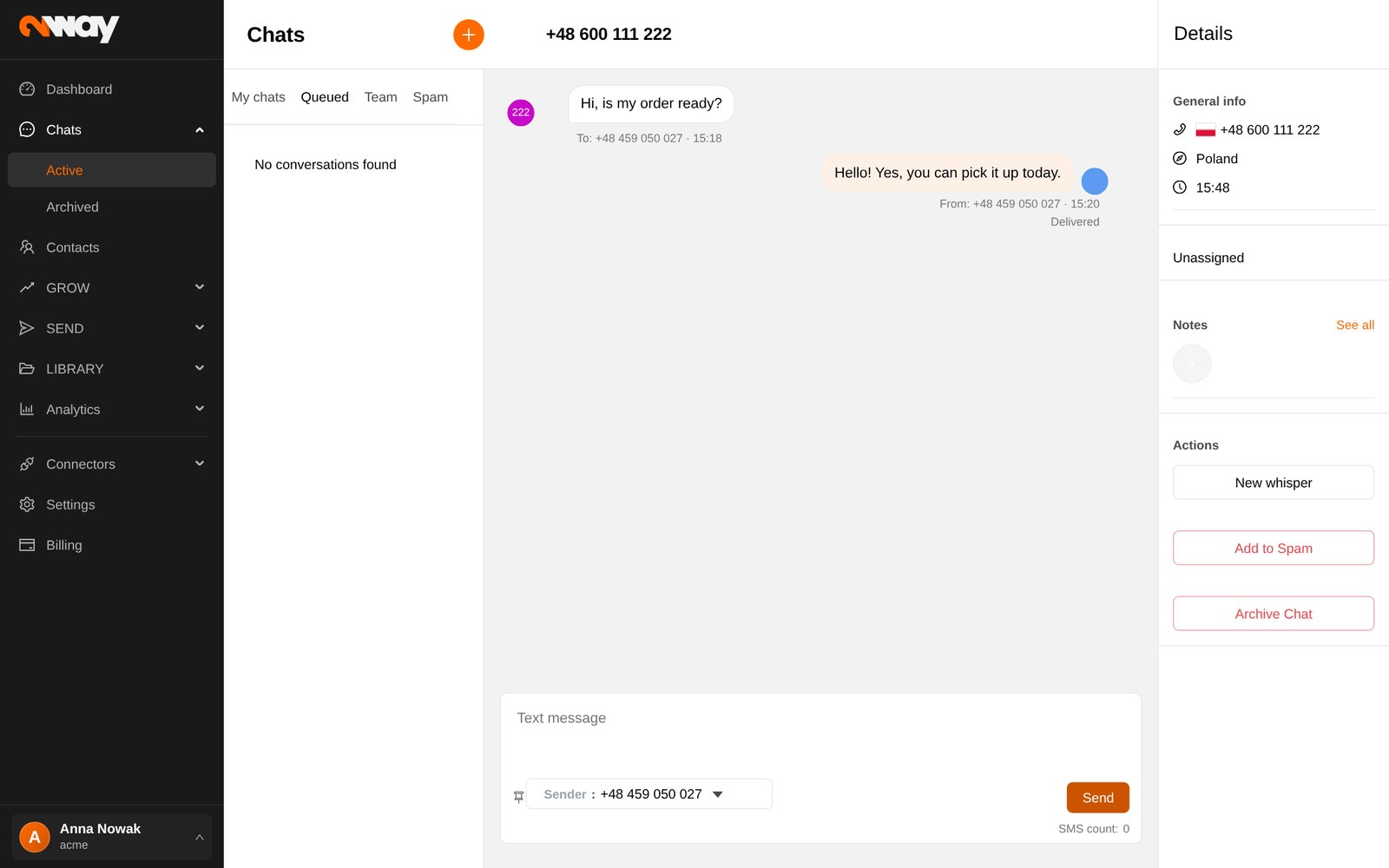
Customers reply to your messages. Chats is where your team answers them, one conversation at a time.
How conversations flow
- 1Queued
A new reply lands here, visible to the whole team.
- 2Assign to me
A team member takes it; it moves to My chats.
- 3Answer
Type, use a quick reply or attach a picture (MMS).
- 4Archive
Close the solved chat. A new reply brings it back to Queued.
- My chats, Queued, Team and Spam tabs, each with its unread count; filter all or unread.
- Start a conversation with New: type a phone number and the message.
- Choose the Sender number for your reply; numbers with WhatsApp appear twice, once with the WhatsApp icon.
- Each message shows its status: sent, delivered, read (WhatsApp), not delivered. A message still being sent is greyed out with a spinner; if it fails, an exclamation mark appears: click it to try again.
Working as a team
- Notes on the contact keep context for everybody (pin the important ones).
- New whisper adds an internal comment inside the conversation; the customer does not see it.
- Add to Spam moves unwanted conversations out of the way.
- Archive solved chats regularly; the active list holds up to 1000 conversations.