11
Settings, numbers and sender names
Set your preferences and domains, decide how your numbers behave and request a sender name with your brand.
General
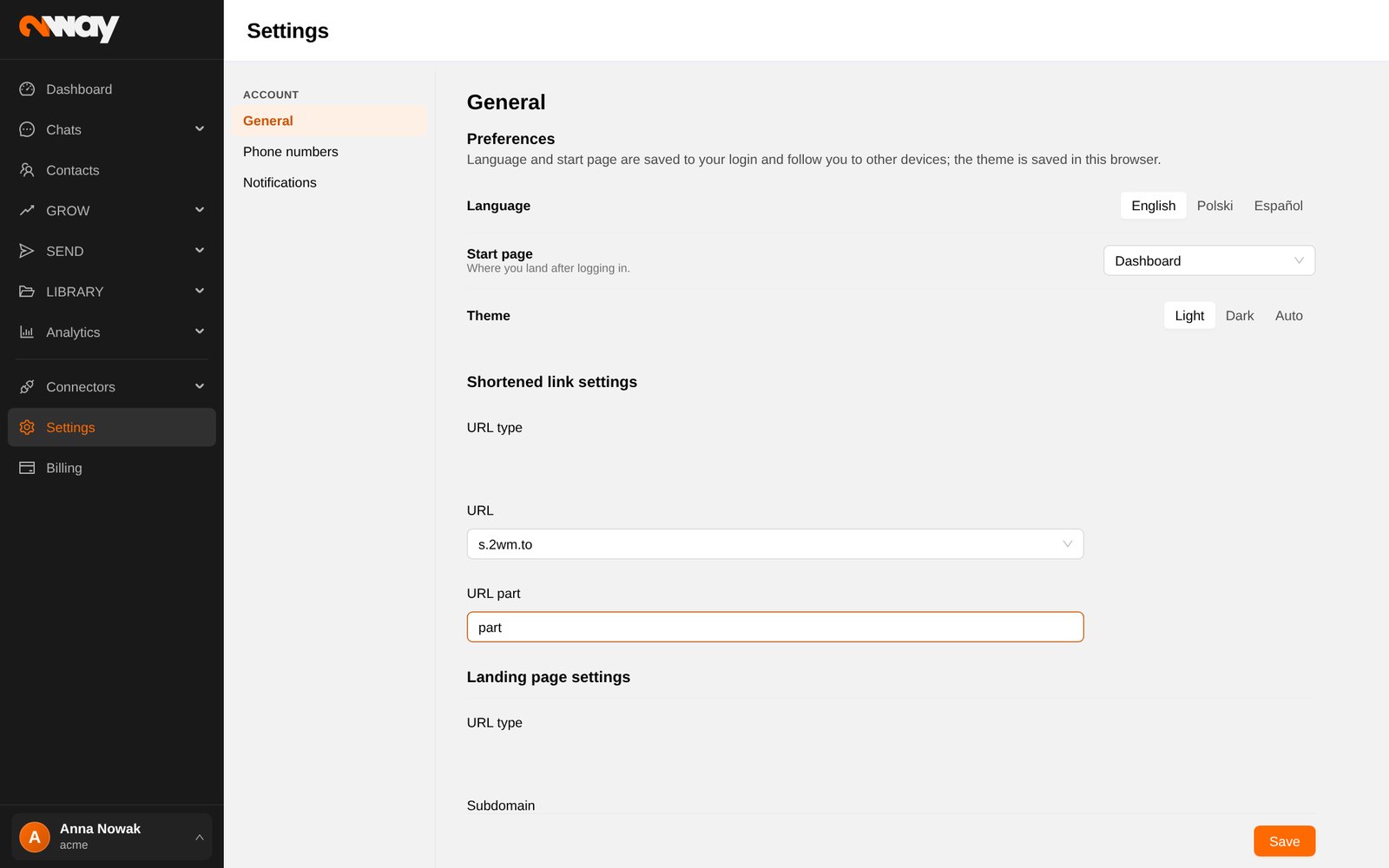
- Preferences: language, start page and theme.
- Shortened link settings: use the 2way domain or your own for links in messages.
- Landing page settings: the subdomain or your own domain for landing and unsubscribe pages.
- App urls: links to your iOS and Android apps for confirmation messages.
Phone numbers
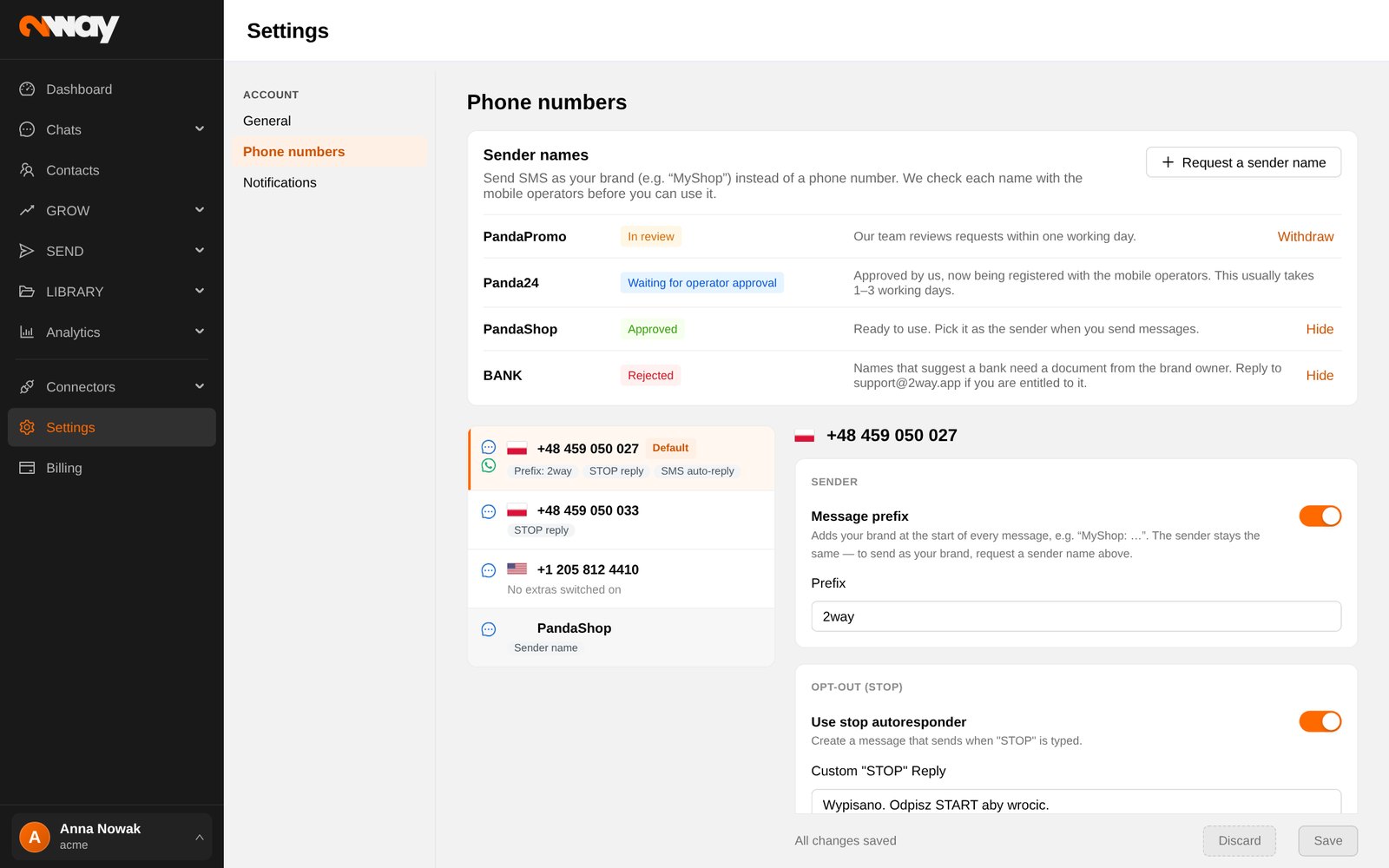
Each number shows its channels (SMS, WhatsApp) and which options are on. Click a number to set:
- Message prefix: text added at the start of every message, e.g. your brand name.
- Opt-out (STOP): an automatic reply when someone texts STOP, and the STOP text added to messages so recipients know how to opt out.
- Auto-replies: an automatic SMS or WhatsApp answer per language, e.g. to say you will reply soon.
Sender names
A sender name shows your brand, e.g. PandaShop, instead of a number as the sender of your messages. It builds trust and recognition.
- 1Request
Click Request a sender name and type the name.
- 2In review
Our team checks it.
- 3Waiting for operator approval
The name is registered with the operators.
- 4Approved
Pick it as the sender in campaigns and forms.
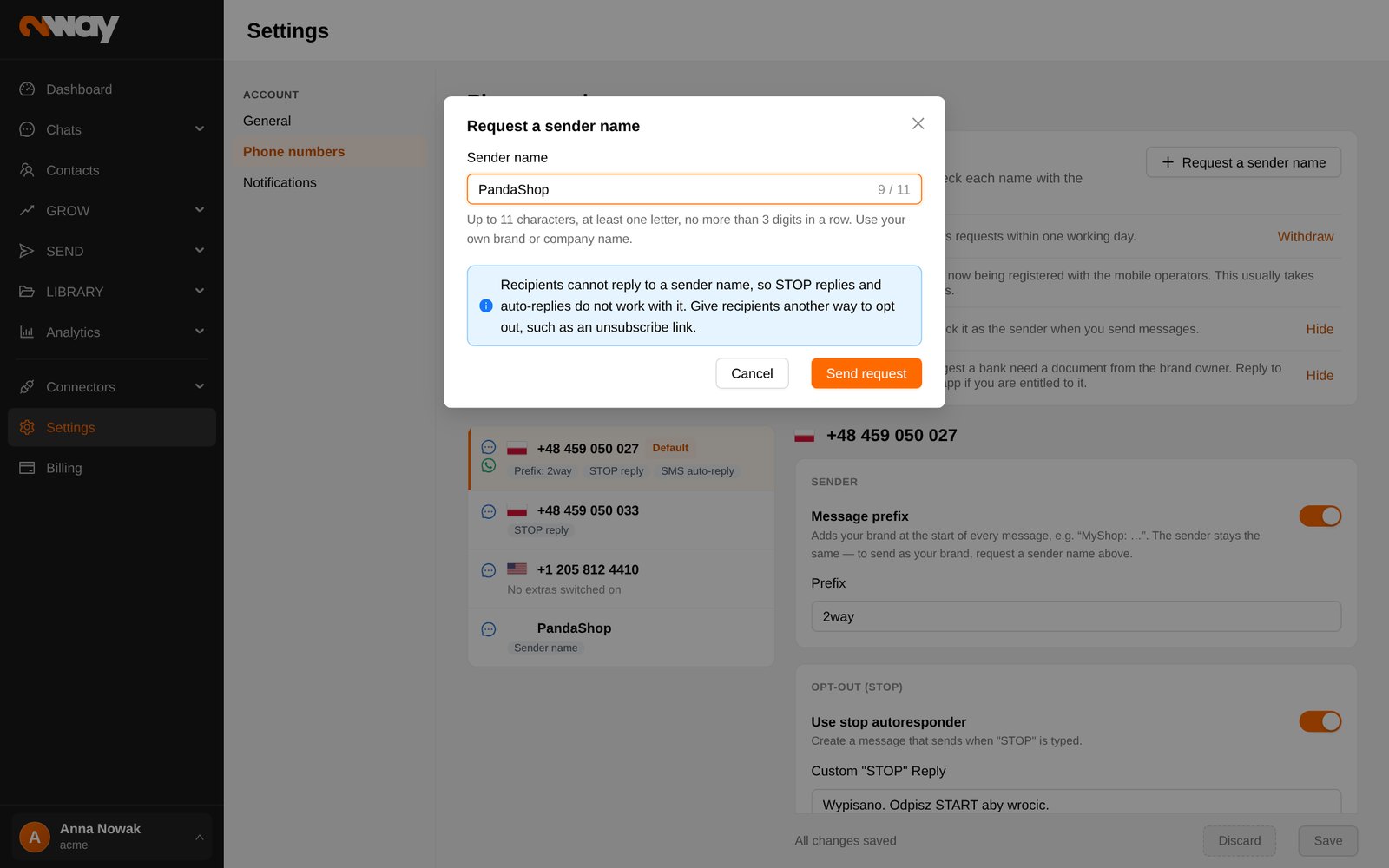
- Up to 11 characters, at least one letter, no more than 3 digits in a row; well-known brands and generic names are not allowed.
- Up to 3 requests can be in review at once; you can withdraw a request while it is in review.
Notifications
Get an email or SMS when a coupon pool runs low, so forms never run out of codes. Set the address, the phone number and the threshold.